
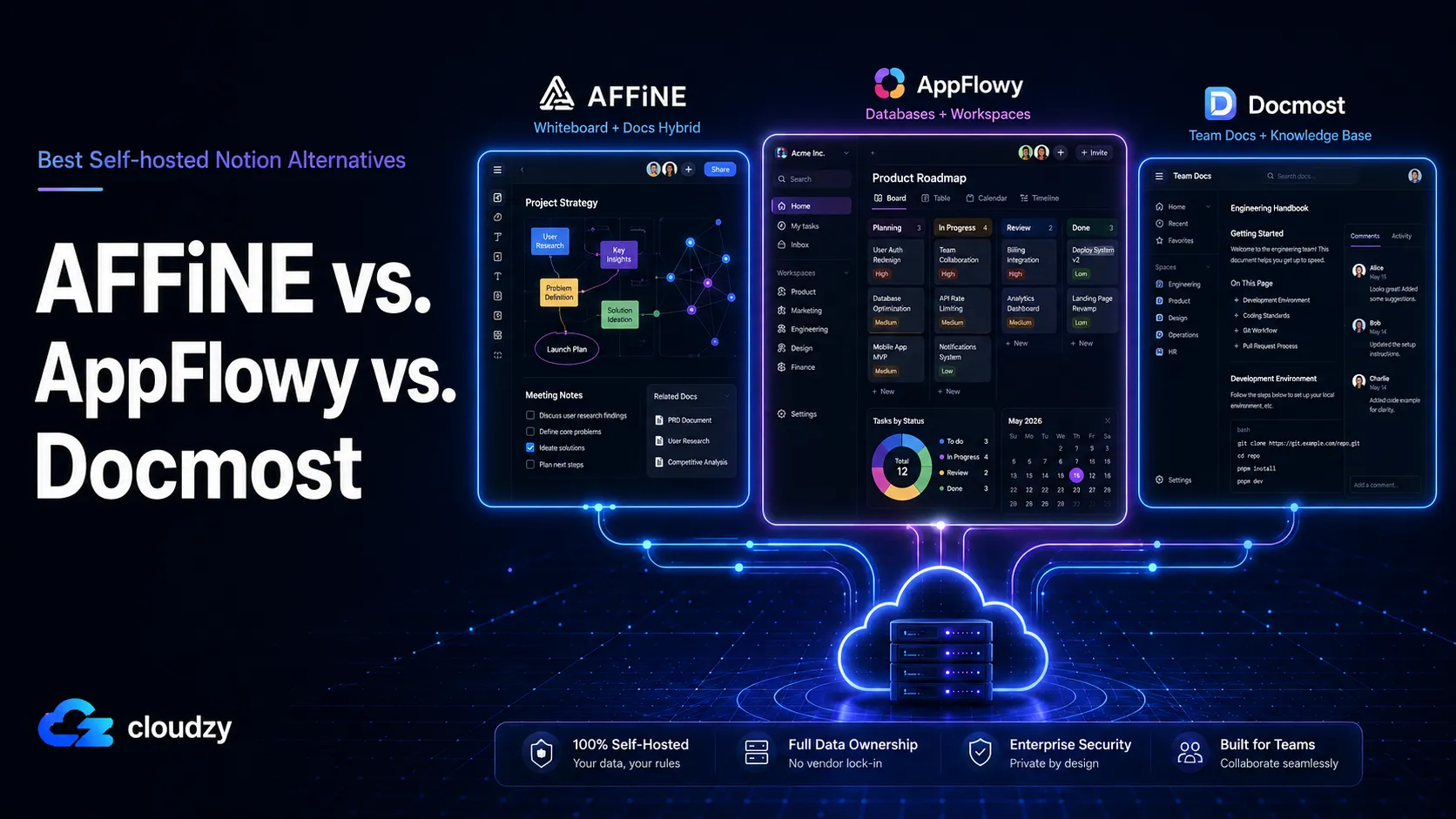
Choosing the best self-hosted Notion alternative depends on the job you want the tool to replace. AFFiNE, AppFlowy, and Docmost often appear in the same comparison, but they do not solve the same problem.
AFFiNE is a whiteboard-first knowledge OS. AppFlowy is a Notion feature clone with real database views. Docmost is a wiki, closer to Confluence than to Notion. They are not three flavors of the same product. They are three different tools for three different jobs.
The cost of picking the wrong one is rarely a missing feature. It is a deployment surprise. AFFiNE is still pre-1.0, with frequent builds and occasional upgrade-breaking changes, so self-hosters need to treat upgrades carefully.
AppFlowy needs five Docker services, including an S3-compatible object store. Docmost imports Notion data, but does not have native database tables. None of this is obvious from the marketing pages.
This post splits the field by what each tool is actually for, names a clear winner for each archetype, and prices out the VPS sizing per tool so you know what the infrastructure cost looks like before you commit.
TL;DR
If you’re looking for a quick answer to any question you might have about these Notion alternatives, rather than a full article, you can find them here!
- Docmost wins for teams that mostly write structured docs together, includes three Docker services, and runs on a 2 GB RAM VPS.
- AppFlowy wins if you actively use Notion's databases, kanban boards, and calendar views. Plus, it offers five Docker services; 4 to 8 GB RAM recommended.
- AFFiNE wins if your team brainstorms on whiteboards and writes docs in the same workspace. Offers three Docker services, needs 4 GB RAM minimum, and the project is pre-1.0 with weekly breaking changes.
- If your team is under five people and data sovereignty is not a hard requirement, staying on Notion is often cheaper than self-hosting any of these.
Why "Notion Alternative" Is the Wrong Question
The phrase "Notion alternative" hides three different problems people are actually trying to solve.
The first group writes a lot of structured documentation together. Internal handbooks, runbooks, RFCs, project briefs. They want pages, spaces, permissions, versioning, and a real editor. They probably came from Confluence or Google Docs.
The second group lives inside Notion's databases. They use kanban for product backlogs, calendar views for content planning, and table views as lightweight CRMs. They came from Notion specifically and want the database model intact.
The third group sketches on whiteboards while they think. They use Miro for diagrams and Notion for writeups, and they hate switching between two apps.
These are three jobs, not three brands of the same product. AFFiNE, AppFlowy, and Docmost each cluster around one of them. AFFiNE is closer to Notion plus Miro. AppFlowy is closer to Notion alone. Docmost is closer to Confluence.
Project management is a fourth, distinct job. Kanban boards inside a docs tool are not the same as a real PM platform with sprints, epics, and time tracking. If that is what you actually need, the comparison you want is OpenProject vs Plane vs Redmine, not this one. We will link to that post at the end.
What Each Tool Is Actually For
Three short profiles. Each one establishes the archetype, names the underlying technology, and flags the caveats.
AFFiNE: Whiteboard-First Knowledge OS
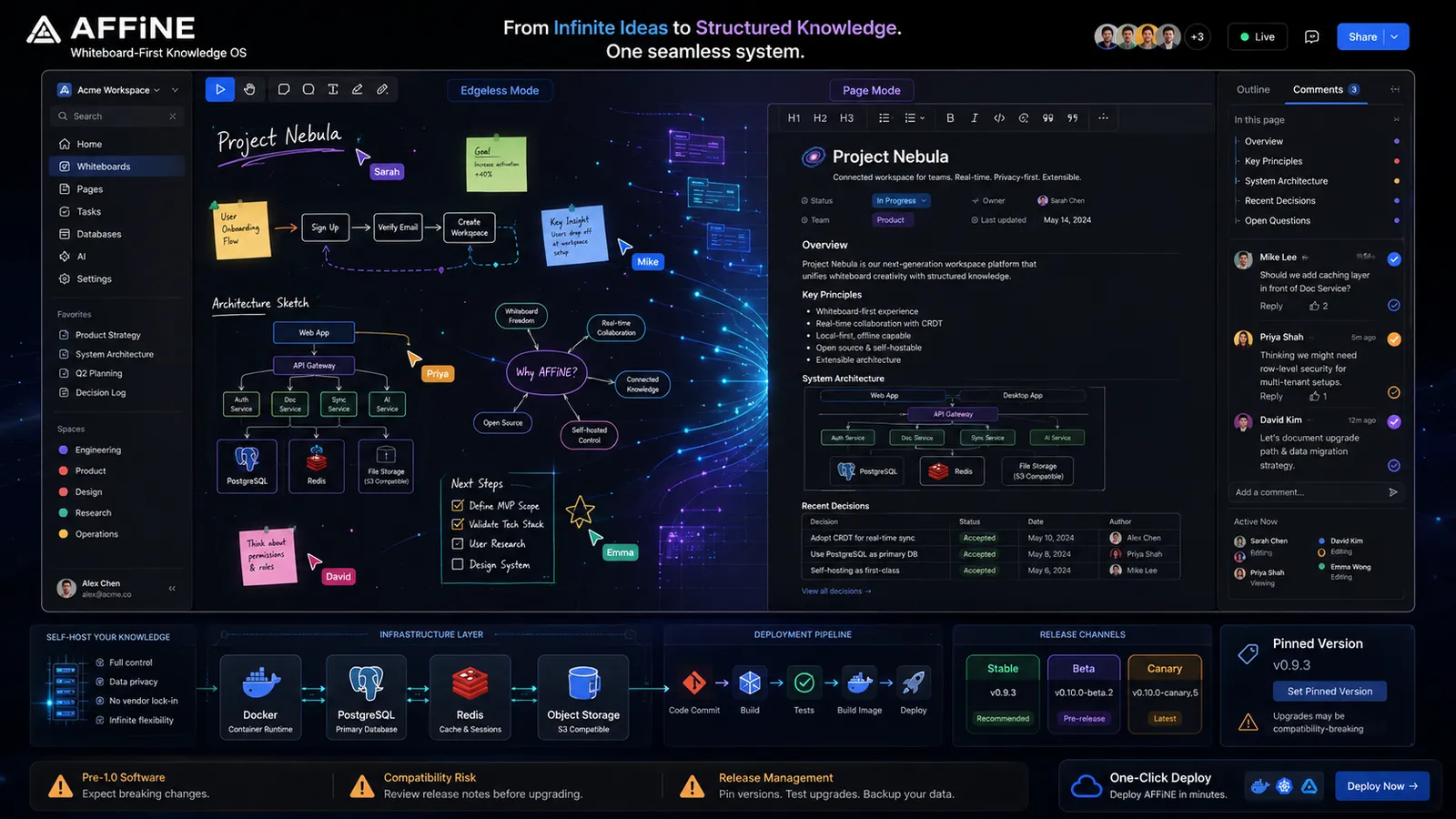
AFFiNE pairs a document mode and an "edgeless mode" (an infinite whiteboard) on the same canvas. You can sketch a system diagram on the whiteboard, drop in sticky notes, and then switch to page mode to write up the decision, all inside the same workspace.
Moreover, real-time collaboration uses CRDTs (conflict-free replicated data types, the same family of data structures that powers Figma multiplayer), and the reference point is Notion plus Miro, not Notion alone.
The current stable release is v0.26.3 as of April 2026, and the project is still pre-1.0. AFFiNE’s official release docs describe a major-version cycle of roughly six weeks and minor versions every two weeks, while the self-hosted docs separate stable, beta, and canary channels, with canary builds carrying higher breakage risk.
The v0.26.3 release also includes a server/client compatibility-breaking change, so pinned versions are safer for self-hosted setups. AI can now be configured on self-hosted AFFiNE, but support is still uneven across AFFiNE’s AI feature set.
Additionally, the old mobile limitation is no longer accurate, since AFFiNE now provides iOS and Android apps.
The official Docker Compose deployment runs three services: the AFFiNE app container, PostgreSQL, and Redis. The application alone uses about 500 MB of RAM at idle, and total container memory typically lands between 1.5 and 3 GB without users.
That setup is not difficult, but it still asks you to prepare the server, wire the services together, and keep upgrades under control. If you want to skip the first deployment pass, AFFiNE is available as a one-click app in our marketplace, so you can start from a ready server environment instead of building the stack manually.
That only removes the setup difficulties, though. AFFiNE is still pre-1.0, so pinned versions, release-note checks, and careful upgrades still matter. Lastly, while AFFiNE has 60K plus GitHub stars and a vocal community, the self-hosting docs are thin compared to AppFlowy's.
Pro Tip
If you adopt AFFiNE today, plan for migration friction. Treat the self-hosted instance as a working environment that will need careful upgrades, not a knowledge base you can leave alone for a year. Pin a specific image tag rather than latest, and read the release notes before pulling.
Section key takeaway: AFFiNE is the only tool of the three that puts whiteboards and docs on the same canvas, but the pre-1.0 version cycle makes it a riskier choice for production today.
AppFlowy: Closest Notion Feature Clone
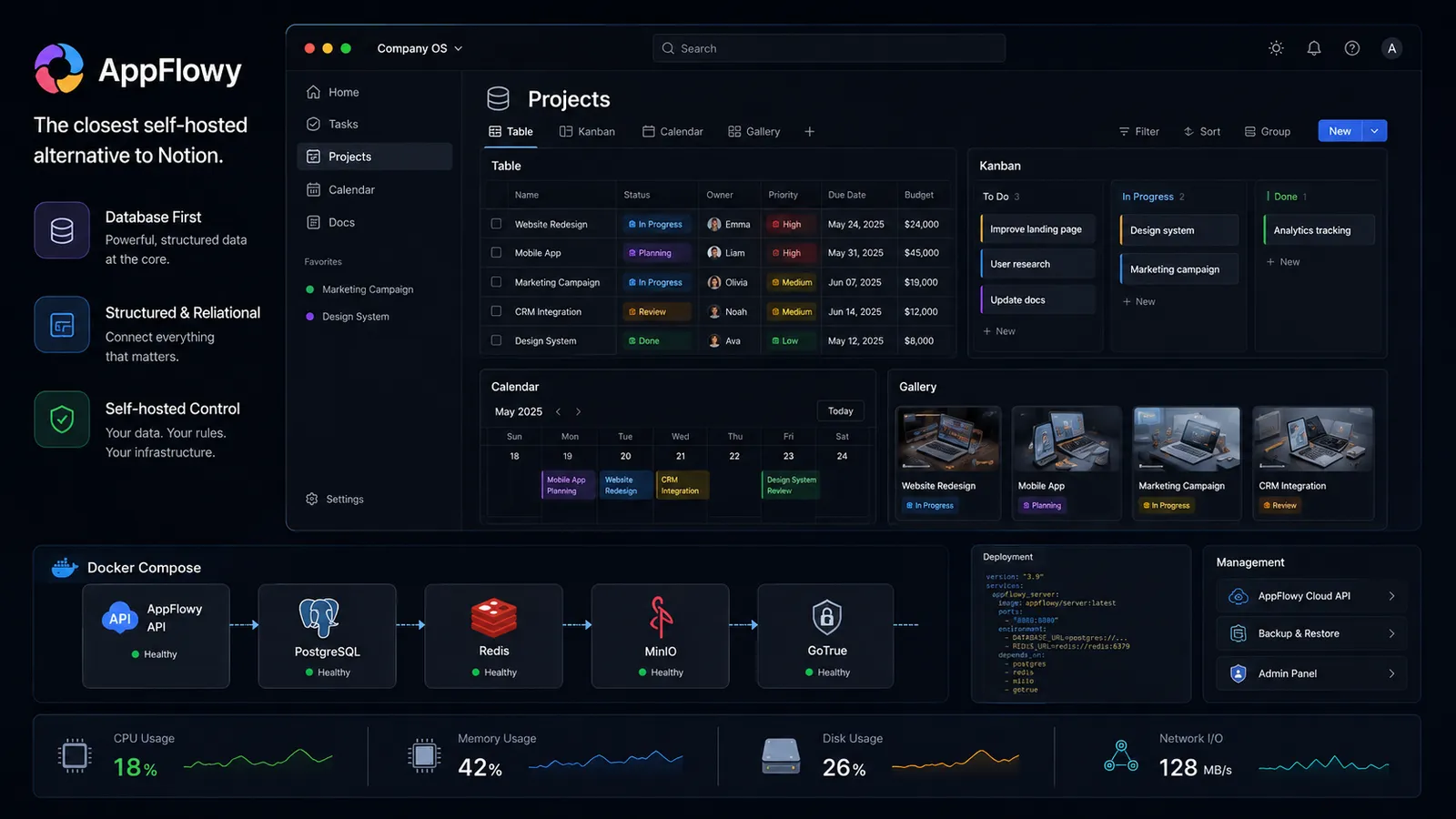
AppFlowy is the closest you get to Notion's actual feature set. It supports multiple database views, including Grid/Table, Kanban/Board, Calendar, Gallery, List, Chart, and Feed, depending on the version and platform.
Plus, it has a Notion importer that goes further than basic Markdown import, though teams with complex Notion databases should still test a sample export before migration.
Moreover, the desktop app is built with Flutter and the backend with Rust, which makes the native client noticeably faster than Electron-based alternatives. Native iOS and Android apps also exist and work.
The trade is deployment complexity. The self-hosted build, AppFlowy-Cloud, depends on five core services: AppFlowy-Cloud itself (the API), GoTrue (an authentication server, originally from the Supabase ecosystem), PostgreSQL, Redis, and MinIO (an S3-compatible object storage server for file uploads, attachments, and AI embeddings).
Optional management services like PgAdmin, Portainer, and a User Admin web UI bring the practical container count even higher. AFFiNE’s official self-hosting requirements recommend 2 GB RAM for basic usage and 4 GB RAM for larger documents with more than 10,000 words.
Since the Docker Compose stack also runs PostgreSQL and Redis, small personal instances can stay light, but multi-user or document-heavy workspaces need more headroom than the app container alone.
AppFlowy is licensed under AGPL-3.0, and self-hosting it means deploying AppFlowy Cloud manually, with the official Docker Compose file. You can deploy it on our Ubuntu VPS, as it fits that setup well since you get full root access, NVMe SSD storage, and dedicated resources for running the Docker stack with more control.
Do keep in mind that the community has flagged that the deploy.env file is hard to follow on a first pass, so allocate an hour or two for the initial setup.
Section key takeaway: AppFlowy is the closest thing to Notion if you actually use Notion's databases, kanban, and calendar views, and it pays for that with a heavier deployment.
Docmost: Wiki-First Team Documentation
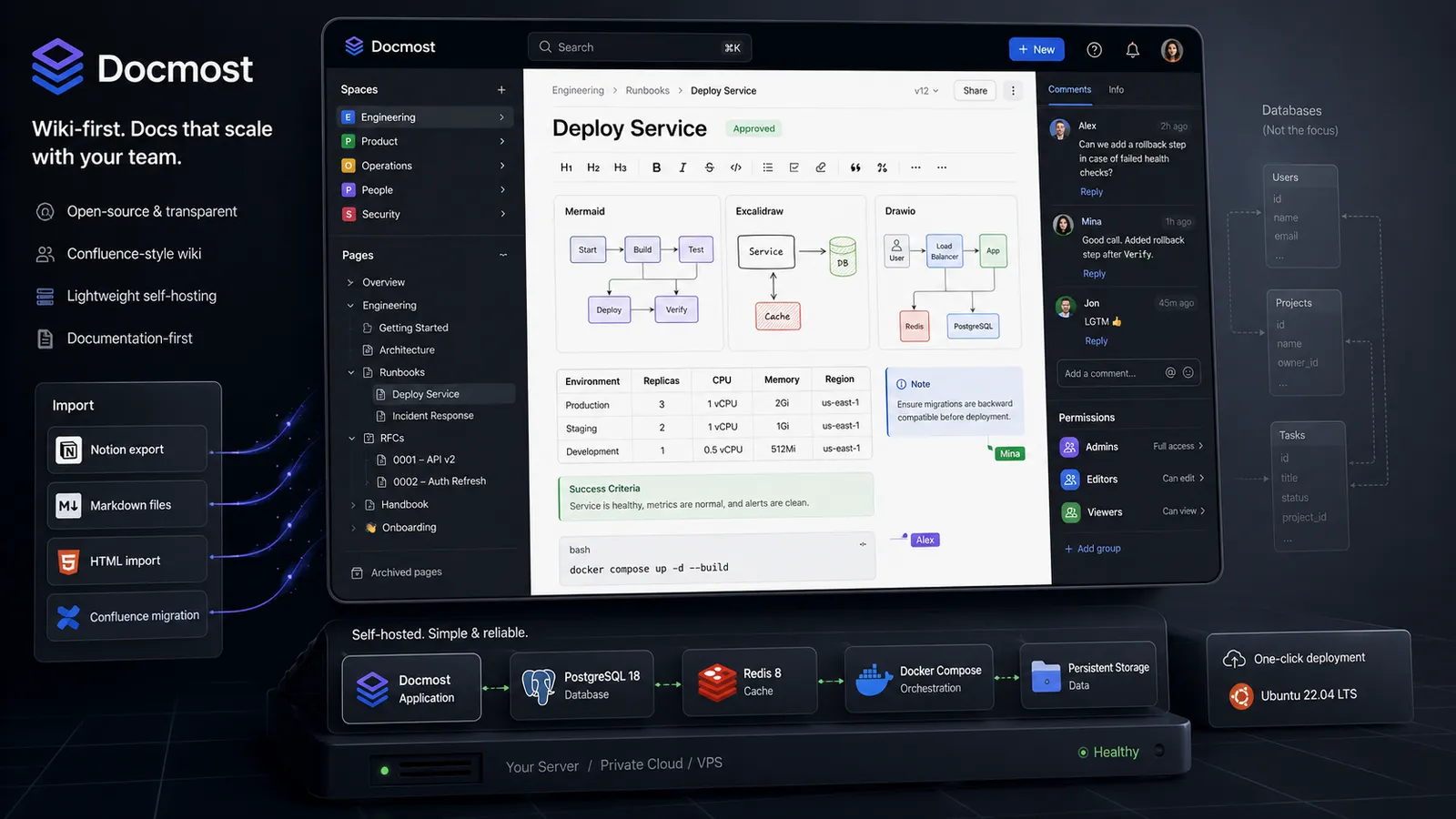
Docmost is a structured wiki. It gives you spaces, pages, comments, permissions, and groups, which are the building blocks of Confluence. The editor handles tables, LaTeX, callouts, and inline diagrams via Mermaid, Excalidraw, and Drawio, and real-time collaboration works out of the box.
The importer accepts Notion exports, Markdown, and HTML, which makes migration straightforward for teams leaving either SaaS. Confluence exports are also accepted, but are only supported on the Enterprise version.
Moreover, Docmost is licensed AGPL-3.0 and is used by a notable list of organizations, including Airbus, the Australian Government, the German Red Cross, Bechtle GmbH, and the University of Bern.
That kind of customer roster is rare for an open-source tool at this stage, and it is a fair signal of operational maturity.
The honest limitation is the one Hacker News commenters surfaced when Docmost did its Show HN: it does not have native database tables. Additionally, the maintainer has confirmed that a database feature is on the roadmap, but it is not shipping yet. So, if your Notion workflow depends on relation columns and rollups, Docmost will not replace it.
The deployment side is much more straightforward. Docmost’s official Docker Compose file runs three services: the Docmost app, PostgreSQL 18, and Redis 8. That is a small stack, but you still need Docker, persistent volumes, domain setup, secrets, and upgrade handling if you install it manually.
For readers who want to test Docmost without doing that first server pass, Docmost is available as a one-click app in our marketplace, running on Ubuntu Server 24.04 LTS. That gives you the wiki environment faster, while the product choice stays the same: Docmost is a strong fit for team docs, but not for Notion database-heavy work yet.
Section key takeaway: Docmost is closer to Confluence than to Notion, and that is exactly why teams whose primary job is writing docs together end up picking it.
The Real Differentiator: Deployment Complexity and VPS Cost
Once you know what each tool is for, the next question is what each one costs to run. The number that matters is the count of distinct services your VPS has to run, because every additional service is another configuration file, another reverse-proxy entry, another failure mode, and another reason your cold start takes longer.
The AppFlowy-Cloud architecture documentation lists five core services for a working deployment: AppFlowy-Cloud, GoTrue, PostgreSQL, Redis, and MinIO.
However, AFFiNE and Docmost both run on three: app container, PostgreSQL, Redis. That two-service difference is real operating cost, not just a number on a chart.
Here is the side-by-side, with the data points that actually drive the decision:
| Dimension | AFFiNE | AppFlowy | Docmost |
|---|---|---|---|
| Use case archetype | Whiteboard plus docs | Notion feature parity | Wiki and team docs |
| Docker services | 3 (app, Postgres, Redis) | 5+ (AppFlowy-Cloud, GoTrue, Postgres, Redis, MinIO) | 3 (app, Postgres, Redis) |
| RAM idle | 1.5 to 3 GB | 2 to 4 GB | 1 to 2 GB |
| RAM at 10 users | 3 to 5 GB | 4 to 6 GB | 2 to 3 GB |
| Real-time collaboration | Yes (CRDT, Y.js) | Yes, with active sync/collaboration improvements | Yes |
| Native mobile app | Yes (iOS, Android) | Yes (iOS, Android) | Browser only |
| Notion import | Markdown only | Native importer | Native importer |
| Whiteboard | Yes (Edgeless mode) | No | No (diagrams via Excalidraw/Drawio) |
| Database views | 2 (table, kanban) | Multiple views, including Grid/Table, Kanban/Board, Calendar, Gallery, List, Chart, and Feed | None native |
| License | MIT | AGPL-3.0 | AGPL-3.0 |
| Stable release | Pre-1.0 (v0.26.x), frequent canary builds | Public product, active releases | Public product, active releases |
The pattern in the table is straightforward. Docmost has the lightest footprint and the simplest deployment. AFFiNE is in the same complexity range as Docmost, but adds the pre-1.0 risk. AppFlowy is the heaviest deployment of the three by a clear margin, and that weight is the price of the database views and native mobile apps.
Section key takeaway: AppFlowy's five-service stack is the single biggest infrastructure-cost difference between these three tools.
VPS Sizing Per Tool
For a self-hosted docs or workspace app, size the VPS around the full stack, not just the app container. The operating system, Docker, PostgreSQL, Redis, a reverse proxy, SSL renewals, backups, indexing, uploads, and concurrent editing all share the same CPU, RAM, and disk.
A small personal instance can often run on 2 GB RAM, but a team setup should usually start from 4 GB RAM with enough NVMe storage for database growth and attachments. If the tool runs several services or handles frequent collaboration, 8 GB RAM gives you safer headroom and reduces the chance of slow sync, database pressure, or OOM kills during updates.
- Docmost is the lightest of the three, so it fits small wiki-style deployments better than AFFiNE or AppFlowy.
- AFFiNE needs more room because the self-hosted stack includes PostgreSQL and Redis, and its pre-1.0 release cycle makes extra headroom useful during upgrades.
- AppFlowy is the heaviest pick here because AppFlowy Cloud runs more services, and larger teams may eventually need dedicated PostgreSQL and Redis rather than keeping everything on one machine.
For a practical baseline, think of the sizing like this: 2 GB RAM for light personal testing, 4 GB RAM for small team use, and 8 GB RAM or more for heavier collaboration, larger documents, multiple apps, or future growth.
Keep in mind that storage should not be sized at the bare OS level. Use 40–60 GB NVMe for light personal testing, 80–120 GB NVMe for a small team with attachments and imports, and 160 GB+ if the workspace will keep long document history, uploaded images, exports, backups, or more than one self-hosted app on the same VPS.
Cloudzy fits this setup because our VPS plans give you full root access, NVMe SSD storage, dedicated resources, DDR5 memory, 16+ server locations, and up to 40 Gbps networking, so you can run Docker Compose stacks with control over services, volumes, domains, and upgrades.
Here’s how you can choose the right Cloudzy plan for your work:
| Use Case | Recommended Cloudzy VPS Size |
|---|---|
| Light testing | 2 GB DDR5 RAM, 1 vCPU, 60 GB NVMe |
| Small team workspaces | 4 GB DDR5 RAM, 2 vCPU, 120 GB NVMe |
| Heavier collaboration, larger attachments, or multiple apps | 8 GB DDR5 RAM, 4 vCPU, 240 GB NVMe |
For tools that are already available in our one-click marketplace, such as AFFiNE and Docmost, you can skip the first manual deployment pass and start from a ready server environment while still keeping server-level control.
Running AppFlowy alongside another heavy app like Mattermost or Jellyfin on the same VPS is a fast path to OOM kills.
Section key takeaway: Start with 4 GB RAM for most small team deployments, use 2 GB RAM only for light personal testing, and move to 8 GB RAM or more for heavier collaboration, larger workspaces, multiple apps, or safer upgrade headroom.
Pick by Archetype, Not by Feature Checklist
The cleanest way to choose between these tools is to start from the work your team does every week. A wiki team, a Notion-database team, and a whiteboard-heavy product team do not need the same self-hosted app, even if their feature lists overlap.
| Team Type | Pick | Main Reason | Watch Out For |
|---|---|---|---|
| Wiki-first team | Docmost | Clean fit for handbooks, RFCs, runbooks, and team docs | No native Notion-style databases yet |
| Database-heavy team | AppFlowy | Better fit for kanban, calendars, CRMs, backlogs, and OKRs | Heavier Docker stack and higher VPS needs |
| Visual planning team | AFFiNE | Combines whiteboards and docs in one workspace | Pre-1.0 release churn |
| Tiny team with no hosting requirement | Notion | Lower effort for teams under five | Less control over hosting and data location |
A few related tools sit outside this comparison because they solve different problems.
- Anytype is local-first with sync, so it fits private or small-group knowledge work better than server-based team collaboration.
- Outline belongs in the same wiki category as Docmost and may be worth testing if Docmost’s interface does not match your team’s habits.
- Trilium is better treated as a personal hierarchical notes app, not a team workspace.
Section key takeaway: Choose Docmost for team documentation, AppFlowy for Notion-style databases, and AFFiNE for whiteboard-plus-docs workflows. Stay on Notion if the team is tiny and the cost of running infra is harder to justify than the SaaS bill.
When None of Them Fit
Three cases where you should not self-host any of these.
Your team is under five people. Notion's commercial pricing for a small team is competitive with a VPS, plus the time you will spend on upgrades. If your only motivation is cost, run the math first. If your motivation is sovereignty or specific data residency requirements, the math changes.
You actually need a project management tool. Kanban inside a docs tool is not the same as a real PM platform with epics, sprints, time tracking, and Gantt views. If you find yourself wanting issue templates, sprint reports, or burndown charts, you want OpenProject, Plane, or Redmine, not a wiki with a kanban board.
You picked AFFiNE without acknowledging the pre-1.0 risk. AFFiNE is exciting software, and it is improving fast, but the weekly breaking-change cadence is real. Do not put your team's entire knowledge base on a tool that ships breaking changes weekly without a migration plan.
If you adopt AFFiNE today, run a small pilot space first, document your upgrade procedure, and revisit the decision when the project hits 1.0.
What to Do Next
Three tools, three jobs, three different infrastructure costs. Pick by the job your team actually does, not by the marketing label of Notion alternative.
- Choose Docmost if the main job is writing and organizing team knowledge, such as handbooks, RFCs, runbooks, and project docs.
- Choose AppFlowy if your team depends on Notion-style databases, kanban boards, calendars, backlogs, and structured workflows.
- Choose AFFiNE if your team needs whiteboards and docs in the same workspace for diagrams, planning, and product thinking.
For the deployment side, Cloudzy gives you both paths. Docmost and AFFiNE are available as one-click marketplace apps, so you can skip the first manual setup pass and start from a ready server environment.
For AppFlowy, you can run the official AppFlowy Cloud Docker Compose stack on our Cloud Server plans with full root access, dedicated vCPUs, DDR5 RAM, NVMe storage, and up to 40 Gbps networking.
Frequently Asked Questions
Is AFFiNE Production-Ready in 2026?
AFFiNE is still pre-1.0, with the stable download on v0.26.3 as of April 2026. It works for personal and small-team use, but production teams should pin image tags, test upgrades first, and avoid treating it as a set-and-forget knowledge base.
How Much RAM Do I Need to Self-Host AppFlowy?
AppFlowy’s official cloud deployment docs list 2 GB RAM minimum and 4 GB recommended. For a team, treat 4 GB as the floor and 8 GB as safer headroom, since Docker also runs PostgreSQL, Redis, MinIO, GoTrue, web, worker, search, and AI services.
Is Docmost a Notion Alternative or a Confluence Alternative?
Docmost is closer to Confluence. It has spaces, pages, permissions, and groups, but no native database tables yet. The team has said a database-like feature is planned, so Notion workflows built around relations, rollups, or database views still need AppFlowy.
Can I Migrate From Notion to One of These?
AppFlowy has the strongest Notion importer because it can handle pages and database structure. Docmost works for pages and content, but databases become static tables. AFFiNE supports Markdown import, so database-heavy migrations lose structure.
Which Has the Best Mobile Experience?
AppFlowy and AFFiNE both have native iOS and Android apps. Docmost is browser-based on mobile, so reverse proxy and WebSocket config matter for reliable loading. AFFiNE is no longer web-only on mobile.
What Are the Best Alternatives to Docmost, AFFiNE, and AppFlowy?
Anytype, Outline, and Trilium are the closest tools worth checking, but they solve different jobs. Anytype is local-first with sync, Outline is a polished wiki like Docmost, and Trilium is better for personal hierarchical notes than team collaboration.
What Is the Cheapest of the Three to Host?
Docmost is usually the lightest to host because its Compose stack is smaller. AFFiNE needs more headroom, and AppFlowy needs the most planning because it runs more services. Use general VPS sizing rather than fixed plan prices, since pricing and plans can change.



Discussion
Comments
Sign in to join the discussion.